
How to Share Baby Photos Privately With Family (Easy Guide)
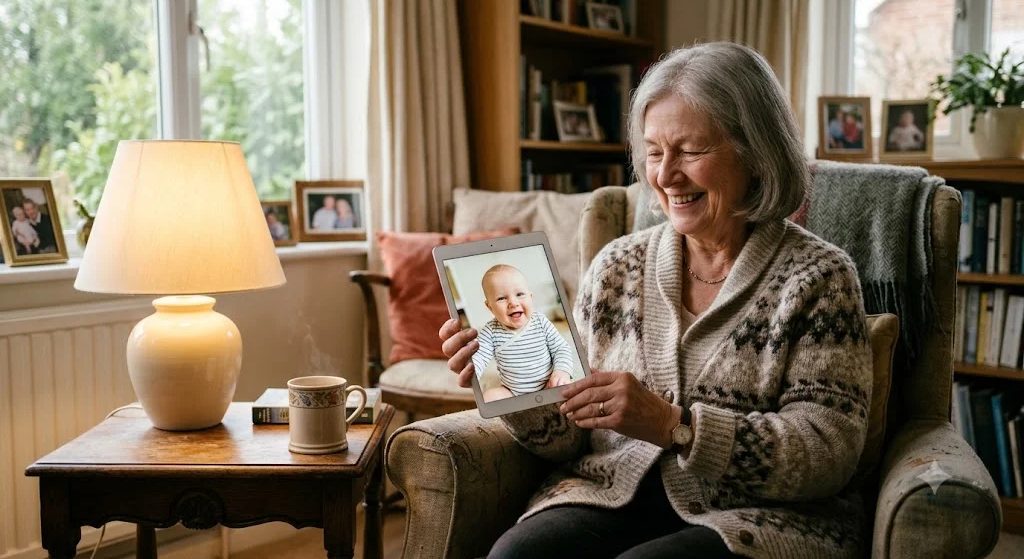
Somewhere tonight, a grandmother is checking her phone for the third time since dinner. Not for news. Not for email. She's hoping for one new picture of the baby: a yawn, a sock half kicked off, anything. 💛
And somewhere else, a tired new parent has 47 photos from today and no idea where to put them so that Grandma sees them, but the rest of the internet doesn't.
If that second person is you, this guide is for you. Here's how to share baby photos privately with family: the real options, what each one is good and bad at, a simple setup you can finish during one nap, and a few gentle house rules so everyone feels included.
Why "private" is worth a little effort
Posting on social media is fast, but your feed is a mixed crowd: old coworkers, friends of friends, people you met once at a wedding. Most new parents slowly realize that the people who want every photo are a small circle, maybe ten or fifteen people. And those are exactly the people who don't need a public post. They need a front-row seat.
Sharing privately gives you both things at once: closeness for family, and peace of mind for you. If you're still deciding where you stand on posting publicly, our kind guide to whether to post your baby's photos online walks through it without any guilt.
The people who love your baby most don't need a public post. They need a front-row seat.
6 ways to share baby photos privately, compared
There's no single perfect tool. Here's an honest look at the common choices.
1. The family group chat
Good for: quick, in-the-moment updates. Everyone already has it. Not so good for: keeping anything. Photos get buried under "what time is dinner?" and stickers, and finding the picture from three months ago means a long scroll. Compression can also make photos blurry.
2. A shared album in your phone's photo app
Both iPhone and Android photo apps let you create a shared album and invite people.
Good for: easy adding straight from your camera roll. Not so good for: grandparents on a different kind of phone, or anyone who struggles with account sign-ins. Albums also tend to multiply ("Baby month 3," "Baby month 3 part 2") until nobody knows where to look.
3. Email updates
A weekly email with five favorite photos and a few lines is lovely, and older relatives often prefer it.
Good for: a cozy, letter-like rhythm. Not so good for: videos, and for you on a sleepless week. It's one more task on the list.
4. A shared cloud folder
Good for: full-quality backups and sharing big batches. Not so good for: actually enjoying the photos. A folder of files named IMG_4821 doesn't feel like a story.
5. A Wi-Fi digital photo frame
These frames sit on Grandpa's shelf and show new photos as you send them.
Good for: grandparents who don't use smartphones much. It's magic to them. ✨ Not so good for: comments, conversation, or looking back through the months in order.
6. A private family website for your child
A small website just for your baby, where only invited people can look.
Good for: keeping everything in one place, organized by date, with room for notes and stories; family can visit any time without digging through chats. Not so good for: parents who want something that takes zero setup. It takes a few minutes to start.
Many families end up combining two: one private home where everything lives, plus the group chat for "look what she just did!" moments.
Private photo sharing for grandparents: make it easy
Grandparents are usually the most eager viewers and the ones most likely to get stuck on a password screen. A few things help a lot:
- Choose fewer steps. If something requires downloading an app, creating an account and verifying an email, expect a phone call. 😅 A simple link they can open is ideal.
- Do the first visit together. On a video call or the next time you visit, open it on their phone and save it to the home screen.
- Use big, clear photos. Short videos with sound are often their favorite thing of all: a giggle, a first word.
- Keep it in one place. "Everything is always at this link" is much easier to remember than five different albums.
- Say thank you for comments. A grandparent who gets a reply to "Look at those cheeks!" will be back tomorrow.
A 15-minute setup plan (one nap is enough)
- Write your list. Who's in the inner circle? Parents, grandparents, siblings, godparents, one or two closest friends. Keep it small; you can always add.
- Pick your main home. Choose one of the options above as the place where everything lives.
- Add your 20 favorites. Don't try to upload the whole camera roll tonight. Start with the best of the best, and add a line or two to the ones that have a story.
- Invite people with a warm note. Something like: "We're keeping the baby off social media, but we want you to see everything. Here's where we'll share."
- Set a gentle rhythm. Maybe a few photos every evening, or a little batch every Sunday. Consistency matters more than volume.
If your camera roll is already overflowing, our guide on how to organize baby photos has a simple monthly routine that pairs nicely with this.
Kind house rules for sharing baby pictures without social media
Family members repost out of pure pride, not carelessness. A friendly, clear message up front saves awkward moments later. You might ask:
- Please don't post photos of the baby publicly, or share them outside the family, without asking us first.
- Please don't forward photos to big group chats.
- If you take photos at a visit, we'd love it if you sent them to us. 📸
Say it with warmth, and say why: "We want her to decide one day what's online about her." Most grandparents feel honored to be trusted with the private version.
Where My Little Keep fits in
We built My Little Keep to be that one private home. It's your child's own website, at an address like name.mylittlekeep.com. No app needed, for you or for the family.
- Simple for grandparents: they open the link and type a 6-digit PIN to look. No account, no password to forget.
- A timeline that tells a story: photos and videos with notes, in order, with your child's age added automatically.
- Family can join in: invited family send hearts and comments, and can send their own photos for you to approve first.
- Private by design: invite only, not on Google, no ads, we never sell data, photos are never used to train AI, and GPS location is removed from photos.
- Safe and yours: everything is backed up nightly, and you can download it all as a .zip any time.
On the Family plan, there's also room for milestones, letters sealed until a future date, and a year album you can print or save as a PDF.
The best photo is the one that reaches them
Years from now, the exact app won't matter. What will matter is that Grandma saw the first bath, the first smile, the first wobbly step, close to the day it happened, even from far away. 🌱
So pick one simple way, invite your small circle, and send tonight's photo. Somewhere, a phone is waiting to light up.
More to read
 The First Year of Parenthood: What No One Tells You (and What Helps)The first year of parenthood is exhausting, tender and over in a blink. What it really feels like, plus small ways to get through it and remember it.Read more →
 Grandparents Living Far Away: Keeping Love Close Across the MilesGrandparents living far away miss so much. Here are warm, practical ways to help them know your child, feel part of every week and stay close across the miles.Read more →
 Should I Post My Baby's Photos Online? A Kind Guide to SharentingShould I post my baby's photos online? A calm, honest look at sharenting: the real risks, simple rules that help, and private ways to share with family.Read more →