
How to Organize Baby Photos (Before Your Camera Roll Swallows Them)
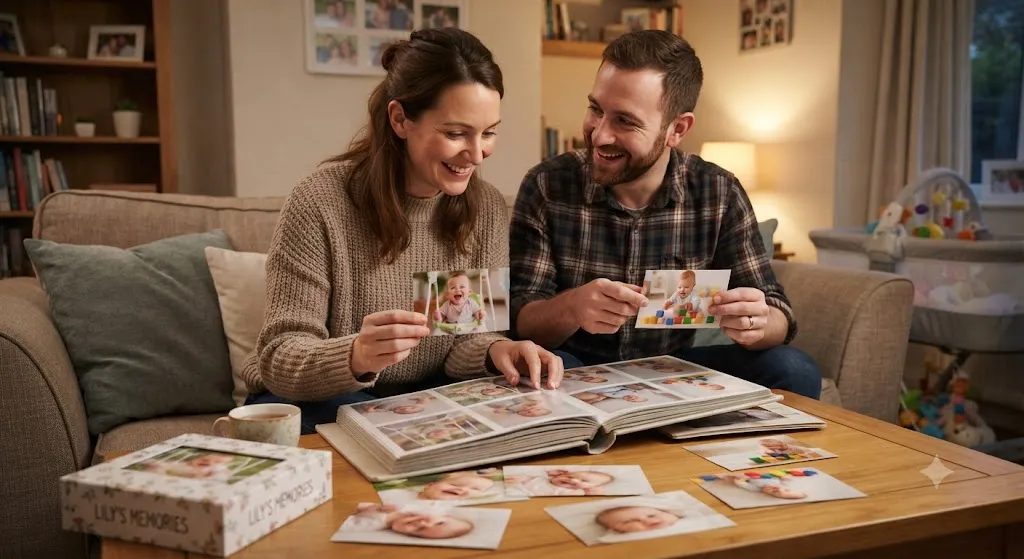
Here's a small confession most new parents share: there are 4,000 photos of the baby on your phone, and you still can't find the one of their very first smile. 📱
It's somewhere between the 37 nearly identical shots of a yawn, a screenshot of a diaper-rash cream, and 200 photos from that one Tuesday when they looked especially cute.
None of this means you're doing it wrong. It means you love them, and you pressed the button every time your heart did. The problem is that a camera roll isn't a memory box. It's a pile. And piles get lost when a phone breaks, a cloud account fills up, or the years simply bury them.
The good news: organizing baby photos doesn't need a weekend, a fancy app, or a spreadsheet. It needs a home, a small habit, and a few words.
Why it matters more than it seems
Your baby won't remember being this small. One day they'll ask what they were like, and the photos will do the answering. But photos alone are only half the memory. The other half is the story: why you laughed, what they had just done, who was holding the camera.
Pictures fade slowly. The stories behind them fade much faster.
That's why the best photo system isn't just about folders. It's about keeping the moment.
A simple system to organize baby photos
1. Choose one home for the memories
Photos usually live in five places: your phone, your partner's phone, a cloud backup, the family group chat, and Grandma's tablet. Pick one place where the best ones will live for good. Everything else is just a staging area.
2. Make it a monthly 10-minute ritual
Trying to sort a whole year at once is how good intentions die. Instead, pick a day each month (their "month-day" works beautifully: the 14th if they were born on the 14th) and give it ten minutes. Put on a cup of tea, open the camera roll, and look back at the month. You'll find it's one of the sweetest ten minutes of your month. ☕
3. Keep the best, not all of them
From the hundreds of photos that month, choose 10 to 20 favorites. One clear photo of a moment beats twenty blurry ones. You don't have to delete the rest. Just don't make your future self wade through them.
4. Write one line for each moment
This is the step that turns a photo into a memory. Under each favorite, write a sentence: "First time she grabbed my hair and wouldn't let go." "Grandpa sang him the song he used to sing to me." A few words today will mean the world in fifteen years.
5. Sort by date, and by age
Dates are useful, but parents think in ages: "when she was 3 months", "his first birthday". If your system shows both, finding a moment later becomes effortless. A simple folder structure like 2026 / 03 – 3 months old works if you're doing it by hand.
6. Back up, then back up again
A common rule of thumb is 3-2-1: three copies, on two different kinds of storage, with one kept somewhere else (like a cloud service). At the very least, never let the only copy of your baby's first year live on a single phone.
7. Share privately, not publicly
Grandparents want to see everything, and many parents feel uneasy posting their child's whole life on social media, where a photo can live forever and be seen by people you never chose. A private space that only invited family can open gives everyone what they want: closeness, without the worry. 🔒
Where My Little Keep fits in
We built My Little Keep because we lived this exact problem. It's your family's own private website, with its own address like name.mylittlekeep.com, made for exactly the system above:
- One home: photos and videos added straight from your phone, on a timeline by date, with your child's age added to each memory automatically.
- Room for the story: every memory has space for a few words, and you can record your child's voice and their funniest sayings.
- Family, privately: grandparents open the link and type a 6-digit PIN. No account, no app. Family members you invite by email can send hearts, comments and their own photos for you to approve.
- Safe and yours: only people you invite can see it, it doesn't show up on Google, photos lose their GPS location before upload, and you can download everything as one .zip whenever you like.
On the Family plan you also get height and weight charts, milestones, a photo-a-month "watch them grow" flipbook, and letters to your child that stay sealed until a date you choose. 💌
Start small, start this month
You don't need to fix the last two years tonight. Start with this month: ten minutes, your favorite photos, one line each. Next month, do it again. Then, when you have a quiet evening, go back one month at a time.
A year from now you'll have something far more precious than a full camera roll: a story of your child's first year that you can actually find, read, and share. 🌱
More to read
 The First Year of Parenthood: What No One Tells You (and What Helps)The first year of parenthood is exhausting, tender and over in a blink. What it really feels like, plus small ways to get through it and remember it.Read more →
 How to Share Baby Photos Privately With Family (Easy Guide)How to share baby photos privately with family: 6 simple options compared, a 15-minute setup plan, and kind house rules that keep everyone close.Read more →
 Grandparents Living Far Away: Keeping Love Close Across the MilesGrandparents living far away miss so much. Here are warm, practical ways to help them know your child, feel part of every week and stay close across the miles.Read more →